
Free vs Paid Home Design Software: You’ve got a renovation in mind. Maybe it’s one bedroom, maybe it’s the whole ground floor. You open a browser, search “home design software,” and immediately face a wall of options — some free, some charging $50/month, some $700 upfront. The question isn’t which one has the most features. It’s which one fits your project without wasting your time or money.
This guide cuts through the noise. By the end, you’ll know exactly which type of home design software you need, which tools are worth your attention in 2025, and when upgrading from free to paid actually makes sense.
Who This Decision Actually Affects (And Who It Doesn’t)
Not everyone needs to wrestle with this choice. Let’s be honest about that upfront.
If you’re redesigning one room, rearranging furniture, or just trying to visualize a paint color change — a free room planner will almost certainly get the job done. Tools like Planner 5D, Homestyler, and RoomSketcher Free exist precisely for this use case. They’re capable, intuitive, and genuinely useful for low-stakes projects.
If you’re planning a multi-room renovation, working with contractors, presenting to clients, or submitting designs that influence structural decisions — the limitations of free tools will surface fast. Watermarked exports, missing manufacturer-accurate assets, and no collaboration features aren’t just inconveniences. They can cause real problems.
The honest middle ground: most homeowners doing DIY projects don’t need paid software. But designers, design-minded renovators, and anyone whose output represents their professional credibility probably do.
What You’re Really Comparing — Beyond the Price Tag
The free vs paid conversation usually starts and ends at cost. That’s the wrong frame.
Feature Depth vs Feature Noise
Free interior design software tends to load you up with surface-level features — drag-and-drop furniture, a few wall colors, basic 3D views. What they don’t offer is depth. You can’t adjust ceiling height granularly, you can’t import custom material textures, and you can’t generate a dimensionally accurate measured floor plan that a contractor could actually build from.
Paid professional home design software like Chief Architect or Home Designer Suite layers in features most users won’t touch — and that’s fine. You pay for the ceiling, not just what you use today.
The Rendering Quality Gap
This one surprises people. A 3D home rendering from a free tool and one from a paid platform don’t look the same. Free tools typically offer real-time previews — functional but not photorealistic. Paid tools, especially those with built-in photorealistic rendering engines or integrations like V-Ray, produce images that can substitute for professional architectural visualization.
If your render ends up in a presentation, on a contractor brief, or shown to a client, the quality gap is immediately visible.
Object Libraries: Generic vs Manufacturer-Accurate
Here’s a gap most people don’t anticipate. Free floor plan creators include generic furniture — a sofa shape, a bed shape, a table shape. Paid tools include actual manufacturer catalogs. That means you can place a Kohler fixture, an IKEA Kallax unit, or a specific Andersen window and know the dimensions are exact.
When you’re planning around real products, this matters enormously. A “sofa” in a free tool might be 10 inches off the actual piece you’re buying. That’s a layout error waiting to happen.
Export Formats — What Free Tools Lock Away
Most free floor planner tools let you export a JPEG or PNG. That’s it. Need a PDF with accurate dimensions? Locked. DWG file for your architect? Locked. High-resolution render without a watermark? Locked — or requires an upgrade.
Paid home design software typically exports to PDF, DWG, DXF, PNG, JPG, and sometimes IFC (used in BIM workflows). If you’re handing files to contractors, architects, or building departments, the export options matter as much as anything else.
Where Free Home Design Software Genuinely Delivers
Free tools aren’t consolation prizes. For the right use case, they’re exactly right.
Single-Room Layouts and Basic Spatial Planning
A free room planner like RoomSketcher or Planner 5D handles single-room projects with real competence. You can drag walls, drop furniture, adjust dimensions, and see a 3D home planner view — all without spending a dollar. For most DIY room redesigns, this is genuinely enough.
Quick Concept Sketches Before Hiring a Contractor
Before you pay a designer or contractor for their time, sketching your ideas in a free layout planner saves everyone effort. You show up to the first meeting with something visual rather than a verbal description. That alone cuts revision time and miscommunication.
First-Time Users With Low-Stakes Projects
Learning any design tool has a curve. Starting free lets you figure out whether you even enjoy the process before committing money. If you find you’re fighting the tool every step — that’s a signal. If you’re sailing through it — great, you may not need to upgrade at all.
Best Free Tools Worth Your Time in 2025
| Tool | Best For | 3D View | Collaboration | Export |
| SketchUp Free | General space planning | ✅ | ❌ | Limited (Web only) |
| Planner 5D | Room and home layout | ✅ | ❌ | PNG/JPEG |
| RoomSketcher Free | 2D/3D floor plans | ✅ | ❌ | Watermarked PDF |
| Homestyler | Interior decorating, AI features | ✅ | ❌ | PNG |
| Floorplanner Free | Simple floor plan creation | ✅ | ❌ | Watermarked |
Note: Collaboration features are almost universally absent from free tiers. If multiple people need access to the same project, you’ll hit this wall quickly.
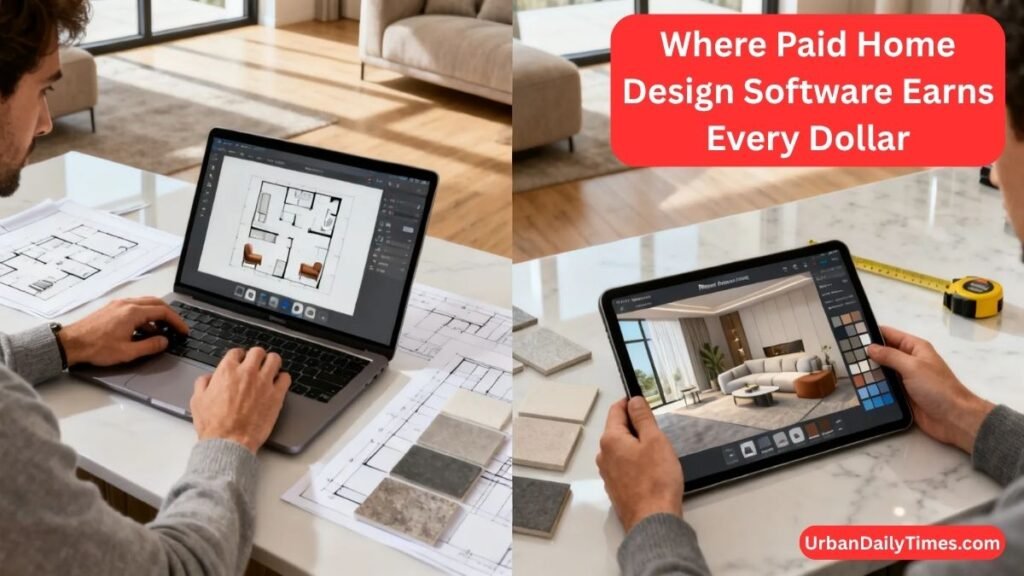
Where Paid Home Design Software Earns Every Dollar
There’s a real difference between wanting paid features and needing them. These are the genuine cases where upgrading pays off.
Multi-Room and Whole-Home Projects
Designing a single bedroom is manageable in any tool. Designing a whole home — where the kitchen layout affects the dining flow, which affects the hallway width, which affects where you can run plumbing — requires a tool that handles interconnected spaces without breaking down.
Professional home design software like Chief Architect Premier or Home Designer Suite is built for multi-room coordination. You can see how rooms connect, maintain consistent ceiling heights across spaces, and change one element without manually updating everything else.
Projects Requiring Multiple Revision Rounds
Every revision in a free tool carries hidden friction. Re-importing assets, re-exporting images, losing formatting. In a paid home design workflow tool, revisions are fast — adjust, re-render, export. If you’re iterating through 10 or 15 versions of a layout, that time adds up to real money saved.
Client-Facing Output — When the Render Is Your Credibility
For interior designers, real estate stagers, and renovation contractors, the quality of your 3D rendering is part of your pitch. A pixelated, watermarked, or cartoonish render communicates “I’m using a free tool.” A photorealistic walkthrough communicates expertise.
“The first question clients ask when they see our renders isn’t ‘what’s the layout?’ — it’s ‘can we really get it to look like that?’ The render sets the expectation. It has to be good.” — Common feedback from residential interior designers using professional-grade home visualization software.
Team Collaboration and Shared Project Access
Design collaboration is either built into a tool or it isn’t. Free tools almost universally lack it. If you have a client reviewing the plan, a contractor checking dimensions, and a designer making adjustments — everyone needs access to the same file. Paid platforms like Cedreo and Chief Architect support multi-user access, comment threads, and version tracking.
Precise Compliance Needs
Some projects touch building codes, zoning regulations, or HOA requirements. A room planning tool that can’t produce accurate, scaled drawings with labeled dimensions isn’t useful here. Paid tools generate measured floor plans that can support permit applications and contractor bids.
Best Paid Tools Worth Evaluating
| Tool | Best For | Price (approx.) | 3D Rendering | Collaboration | Export |
| Chief Architect Premier | Professional residential design | ~$199/month | ✅ Photorealistic | ✅ | DWG, PDF, 3D |
| Home Designer Suite | Serious DIY homeowners | ~$99 one-time | ✅ | ❌ | PDF, DWG |
| SketchUp Pro | Flexible 3D modeling | ~$349/year | ✅ (with extensions) | ✅ | DWG, DXF, PDF |
| Cedreo | Contractor/client presentations | ~$99/month | ✅ Photorealistic | ✅ | PDF, high-res |
| Planner 5D Pro | Mid-tier home planners | ~$7.99/month | ✅ | Limited | HD PNG, PDF |
The Six Decision Factors That Actually Determine Which You Need
Stop guessing. Run your project through these six filters.
Project Risk — What Goes Wrong If a Measurement Is Off?
Low-stakes project (swapping furniture, picking a paint color) → free tools are fine. High-stakes project (knocking down walls, buying custom cabinetry, submitting plans for permits) → dimensional accuracy matters. Paid tools win on design accuracy and measured floor plans.
Output Quality — Who Sees the Final Result?
Only you? Free is fine. Your contractor, a client, a permit office, or anyone who will judge your competence based on what they see? Invest in a tool that produces high-resolution renders and clean exports.
Revision Volume — Are You Iterating Once or Twenty Times?
If you’ll tweak the layout two or three times, the friction of a free tool is manageable. If you’re cycling through dozens of design iterations — layout options, furniture arrangements, material choices — the efficiency of a paid tool pays for itself in hours saved.
Collaboration — Is Anyone Else Working in the Same File?
Solo user: free tools are fine. Multiple people touching the same project: you need shared access, version history, and commenting. That’s a paid-tool feature across the board.
Asset Access — Do You Need Brand-Specific Items?
Generic furniture shapes work for concept planning. If you need a specific sofa model, exact appliance dimensions, or real material library textures (wood grains, tile patterns, fabric swatches), you need a paid tool with manufacturer-accurate content.
Export Needs — What Does the Final File Have to Be?
Sharing a screenshot with a friend? Any tool works. Handing a DWG to an architect, a dimensioned PDF to a contractor, or a high-res render to a client? Check the export list before you commit to any tool — free or paid.
The Real Costs Free Software Can Hide
Free doesn’t mean zero cost. It means the cost shows up differently.
Time lost to workarounds. Every missing feature in a free tool becomes a manual workaround. Exporting, re-importing, screenshotting, redrawing. These add up.
Rework from inaccurate dimensions. Generic furniture assets in free tools aren’t dimensionally accurate to real products. If you plan a kitchen around a generic “refrigerator” shape, then buy a specific model that’s 4 inches wider — your layout breaks. That’s real money.
Mid-project tool switches. Starting in a free tool and hitting its ceiling midway through a project means rebuilding everything in a paid tool. No file compatibility, no import path. You start over.
Watermarked exports that undermine presentations. Showing a watermarked render to a client or contractor signals amateur-hour workflow. Some free tools charge just to remove the watermark — at which point you’re already paying.
Free vs Paid Home Design Software — Side-by-Side Comparison
| Feature | Free Tools | Paid Tools |
| 2D floor plan creation | ✅ Basic | ✅ Full/accurate |
| 3D rendering quality | ✅ Basic real-time | ✅ Photorealistic |
| Manufacturer asset libraries | ❌ Generic only | ✅ Brand-accurate |
| Export formats | PNG/JPEG only | PDF, DWG, DXF, high-res |
| Watermark-free exports | ❌ (or upgrade) | ✅ |
| Multi-room projects | ⚠️ Limited | ✅ Full support |
| Collaboration/sharing | ❌ | ✅ |
| Building code compliance tools | ❌ | ✅ Some tools |
| AI design suggestions | ⚠️ Limited | ✅ Advanced |
| Customer support | Community only | ✅ Direct support |
| Learning resources | Limited | ✅ Full libraries |
| Mobile app access | ✅ Usually | ✅ Usually |
What the Table Doesn’t Tell You
Context changes everything. A homeowner redoing their living room doesn’t need DWG exports. A contractor submitting renovation plans absolutely does. Match the tool to the actual output requirements — not the most impressive feature list.
How to Test Before You Commit
Never upgrade to a paid plan based on marketing screenshots. Test with your actual project.
The One Realistic Test That Reveals Tool Limits Fast
Take a real room from your project. Import its actual dimensions. Place real furniture pieces you’re planning to buy. Then try to export a dimensioned PDF.
This single test reveals the most common friction points: dimension accuracy, asset availability, and export capability. If you hit walls on any of these, you’ve found your limit — and you know whether the paid version solves it.
What to Look for During a Free Trial of Paid Software
Most paid tools offer 14–30 day trials. During your trial, specifically test:
- Import/export: Can you get the file formats you need?
- Asset library: Are the actual products you need in there?
- Render quality: Does a final render look good enough for your use case?
- Collaboration: Can you share a file link with someone else and have them view or comment?
- Learning curve: Will you realistically learn this fast enough to use it on your current project?
Red Flags That Mean You’ve Outgrown Your Current Tool
- You’re screenshotting instead of exporting
- You’re manually measuring what the tool should calculate
- You’ve rebuilt the same project twice because of compatibility issues
- Your client or contractor said they couldn’t use the file you sent
- You spent more time fighting the software than designing
The Sensible Upgrade Path
Upgrading should be driven by friction, not anxiety. Here’s how to think about it.
Start Free, Move Paid Only When You Hit a Real Workflow Limit
Use a free floor plan creator until you hit one of these walls:
- You need a watermark-free export
- You need someone else to access the file
- The asset you need doesn’t exist in the library
- Your output quality isn’t good enough for its audience
Hit one wall? Consider upgrading. Hit two or more? Upgrade now.
Mid-Tier Options That Split the Difference
Not every upgrade is $199/month. Home Designer Suite ($99 one-time) and Planner 5D Pro (~$8/month) sit between “free with limits” and “professional-grade subscription.” For serious DIY homeowners and prosumers, these mid-tier options cover 80% of real-world needs at a fraction of the top-tier cost.
When a Free Tool Plus One Paid Plugin Solves the Problem
SketchUp Free, for example, has a robust extension marketplace. If your only gap is 3D rendering quality, a rendering plugin like Enscape or Lumion (subscription-based) can bolt onto SketchUp without requiring a full platform switch. This hybrid approach often costs less than a full paid platform and keeps your existing workflow intact.
Common Mistakes When Choosing Home Design Software
Upgrading From FOMO Rather Than Friction
The fear of missing features is real but often misleading. Paid platforms are marketed to make free tools look inadequate. Before upgrading, ask: have I actually hit a problem this solves? If not, stay free.
Choosing Based on Interface Aesthetics Over Output Capability
Pretty UI doesn’t equal useful output. A tool that looks great but can’t export a DWG or produce a clean PDF isn’t the right tool for a contractor-facing project. Always evaluate based on what comes out, not what the dashboard looks like.
Ignoring Export Compatibility With Contractors and Architects
Architects work in DWG. Contractors need dimensioned PDFs. If your home design software can’t produce those formats, you’ll end up redrawing work in another tool — and that’s expensive time.
Skipping the Learning Curve Estimate
Chief Architect is powerful. It also takes weeks to learn properly. If your project starts in two weeks, a tool you can’t learn in time is the wrong tool — even if it’s technically superior. Factor in your timeline before committing to a complex platform.
Conclusion
Choosing between free vs paid home design software comes down to one honest question — what does your project actually need? Free tools like Planner 5D and SketchUp Free handle single-room layouts and early concepts with ease. But once you need accurate exports, real collaboration, or client-ready renders, paid platforms earn their cost quickly.
The free vs paid home design software decision isn’t permanent either. Start free, learn what frustrates you, and upgrade only when a real workflow limit shows up. Most homeowners never need to spend a dollar. Designers and serious renovators almost always do. Match the tool to the project — not the other way around.
Frequently Asked Questions
Is free home design software good enough for a home renovation project?
For simple single-room layouts, yes — but whole-home renovations requiring contractor-ready exports need a paid tool.
What is the best free home design software in 2025?
SketchUp Free and Planner 5D are the strongest free options, offering reliable 3D visualization without spending a dollar.
Do professional interior designers use paid or free design software?
Almost universally paid — Chief Architect, SketchUp Pro, and Cedreo are the industry standards for client-facing work.
Can free home design software export files for a contractor or architect?
No — most free tools only export basic JPEGs; contractor-ready DWG and dimensioned PDF files require a paid platform.
Is there a one-time purchase home design software instead of a subscription?
Yes — Home Designer Suite by Chief Architect costs around $99 as a one-time purchase and covers most serious DIY needs.
Key Takeaways
- Free home design software works well for single-room projects, early concept work, and low-stakes planning.
- Paid home design software earns its cost when you need photorealistic renders, accurate exports, collaboration, or multi-room coordination.
- The real costs of free tools — time, rework, workarounds — often exceed what people expect.
- Upgrade when you hit a real workflow limit, not because you’re worried about missing features.
- Mid-tier options like Home Designer Suite (~$99 one-time) cover most serious DIY needs without full professional pricing.
- Always test with your actual project — not a demo file — before committing to any paid plan.
The right home design software isn’t the most powerful one or the cheapest one. It’s the one that gets your specific project done without creating problems you didn’t start with. Start where you are. Upgrade when you need to.

Welcome to Urban Daily Times. My name is Malik Akmal, and I’m passionate about sharing practical home decor and home improvement ideas that help you create a better living space. With over 15 years of experience in home design, renovation trends, and product research, I focus on providing trustworthy advice that helps homeowners save money and choose the right solutions. Every product and recommendation featured on Urban Daily Times is carefully researched and reviewed to ensure you get honest, useful, and reliable information.


