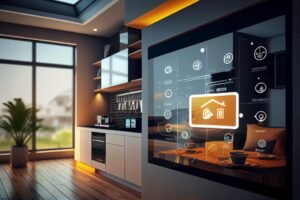
Smart home automation has transformed the way we live. Choosing the right devices for each room can make your home more convenient, secure, and energy-efficient. From the living room to the bedroom, each space has unique needs. This guide will show you how to choose smart home automation for every room, including tips on devices, design, and budgets. By understanding room-specific solutions, you can create a seamless smart home experience that fits your lifestyle and keeps your home safe.
1. Understanding Smart Home Automation Basics
Before buying devices, it’s important to know the basics of smart home automation. The main components include a hub or controller, the devices themselves, and protocols such as Wi-Fi, Zigbee, or Z-Wave. These protocols determine how devices communicate with each other and your smartphone. For example, Zigbee is excellent for low-power devices like sensors, while Wi-Fi works well for cameras or speakers.
Automation logic is another key concept. Devices can follow scenes, schedules, or triggers. For instance, you can program lights to turn on when motion is detected or set the thermostat to adjust at specific times. Room-specific choices matter because power requirements, aesthetics, and usage patterns differ. A kitchen may need water-resistant sensors, while a living room prioritizes ambiance and entertainment. Security and privacy should never be ignored. Ensure devices use strong passwords and updated firmware to prevent unauthorized access.
2. Choosing Smart Devices for the Living Room
The living room is often the heart of your home, so your smart home automation choices here are crucial. Smart lighting sets the mood for movie nights or relaxing evenings. You can use dimmers, bulbs with adjustable colors, and pre-set scenes. Smart speakers and voice assistants provide hands-free control, multi-room audio, and seamless integration with other devices.
Smart plugs and outlets help control lamps, TVs, and other electronics efficiently. You can create automation such as movie mode, where lights dim, speakers turn on, and the thermostat adjusts automatically. Another example is welcome-home lighting, where the system detects your arrival and turns on lights and music. Proper planning ensures convenience and energy savings while keeping your space stylish.
3. Choosing Smart Devices for the Kitchen
The kitchen requires devices that save time and improve convenience. Smart appliances like ovens, refrigerators, coffee makers, and dishwashers are now equipped with connectivity features. For instance, a smart oven can be preheated remotely, and a fridge can alert you when supplies are low. Smart plugs and motion sensors automate lights and appliances, while leak detectors under sinks prevent water damage.
Voice assistants are invaluable in the kitchen. They provide hands-free timers, recipe guidance, and reminders while cooking. Automation can include lights turning on when entering, coffee starting at wake-up, and fridge alerts for expired food. Table 1 shows common kitchen smart devices and their benefits:
| Device | Function | Example Automation |
| Smart Oven | Remote preheat | Preheat oven via app when leaving work |
| Coffee Maker | Schedule brewing | Starts coffee at wake-up time |
| Leak Sensor | Detect water leaks | Sends alerts to phone if water detected |
| Motion Sensor | Control lights | Lights turn on when entering kitchen |
4. Choosing Smart Devices for the Bedroom
Bedrooms are personal sanctuaries, so your smart home automation should focus on comfort and relaxation. Smart lighting can be used for wake-up routines, reading, and mood settings. Adjustable color temperatures improve sleep quality. Smart climate control such as thermostats, fans, or humidifiers ensures the room is always at your preferred temperature and humidity.
Smart speakers and alarms enhance sleep and wellness. You can track sleep, use gentle wake-up alarms, and play white noise. Automation examples include lights dimming at bedtime, blinds closing automatically, and night mode security activating while you sleep. These setups create a calm, personalized environment while conserving energy.
5. Choosing Smart Devices for the Bathroom
Bathrooms benefit from safety and convenience-oriented devices. Smart lighting and mirrors offer dimmable or color-tunable lights, and anti-fog mirrors add luxury and practicality. Smart scales and health devices track weight, heart rate, and water intake. Water and leak sensors prevent damage by detecting leaks early.
Automation examples include lights turning on with motion, fans activating automatically, and gentle wake-up lights for morning routines. A smart bathroom makes everyday activities safer and more efficient while enhancing personal wellness.
| Device | Function | Example Automation |
| Smart Mirror | Anti-fog & lighting | Mirror lights adjust for makeup or shaving |
| Leak Sensor | Detect water issues | Sends phone alerts for leaks |
| Smart Scale | Health tracking | Syncs weight & BMI data to app |
| Smart Fan | Ventilation control | Turns on when humidity exceeds threshold |
6. Choosing Smart Devices for the Home Office
The home office needs smart automation that boosts productivity and comfort. Smart lighting provides bright, adjustable lighting for long work hours, reducing eye strain. Smart plugs and power strips help monitor energy consumption and schedule devices.
Voice assistants and productivity tools can handle reminders, calls, and background music. Automation examples include lights and devices turning on or off with work hours, and notifications being muted automatically during meetings. A properly automated office improves focus while reducing energy waste.
7. Choosing Smart Devices for Outdoor Spaces
Outdoor areas can benefit from smart home automation for security, convenience, and energy efficiency. Smart lighting enhances landscapes, highlights pathways, and uses motion-triggered lights for safety. Smart cameras and doorbells improve security, sending alerts to your phone when visitors approach.
Smart irrigation systems adjust watering based on weather and soil moisture. Automation can include lights turning on at dusk, security alerts to your phone, and sprinklers adjusting automatically. This setup saves water, protects your home, and makes outdoor spaces more enjoyable.
| Device | Function | Example Automation |
| Motion Light | Security & visibility | Lights activate when movement detected |
| Smart Camera | Monitor perimeter | Sends live feed & alerts to phone |
| Smart Sprinkler | Water optimization | Adjusts watering based on weather forecast |
| Smart Doorbell | Visitor alert | Sends notification & camera feed to phone |
8. Budget & Integration Tips
Planning your smart home automation budget wisely is essential. You can start small, focusing on high-impact rooms, or opt for a full setup if your budget allows. Device compatibility is crucial. Some devices need a hub, while others can work standalone. Prioritize devices that offer the most convenience, safety, or energy savings.
Upgrading later should not require replacing everything. Modular systems and brands with interoperability help expand your smart home gradually. For example, starting with smart lighting and plugs in one room can grow into a full home ecosystem over time.
Conclusion
Choosing smart home automation for every room creates convenience, comfort, and efficiency in your daily life. Room-specific choices make your home safer, more energy-efficient, and stylish. Start with one room, experiment with devices, and expand gradually. With thoughtful planning, your home can become a fully integrated smart home that adapts to your lifestyle seamlessly.
FAQs
Q1. Can I use smart devices without a hub?
Yes, many devices work standalone with Wi-Fi. However, a hub allows more advanced automation and multi-device control.
Q2. Are smart devices safe for privacy?
Most devices are secure if you use strong passwords, update firmware, and disable unnecessary features.
Q3. Which room benefits most from automation?
The living room and kitchen often provide the highest convenience and energy savings.
Q4. Can smart home automation save energy?
Yes, automated lighting, climate control, and smart plugs can significantly reduce electricity bills.
Q5. Is installation difficult for beginners?
Most devices are user-friendly. Some, like smart thermostats, may need professional installation for optimal performance.